Free web app · installs on your phone
Habits that stick.
Check in with one tap, watch your streak fill with color and come back tomorrow for more. Free, from your phone, no app store needed.
5-week streak
Save money
100% this month
Practice guitar
Whatever you want to keep up, your way
Drink water
8 glasses
Meditate
10 min
Run
5 km
Read
20 pages
Gym
M · W · F
Study Spanish
30 min
Save money
2 per week
Practice guitar
4 per week
Features
Everything you need to keep your streak alive.
Made to use every day from your phone: fast, good-looking and with just the right info to know how you are doing.
Your whole day on one screen
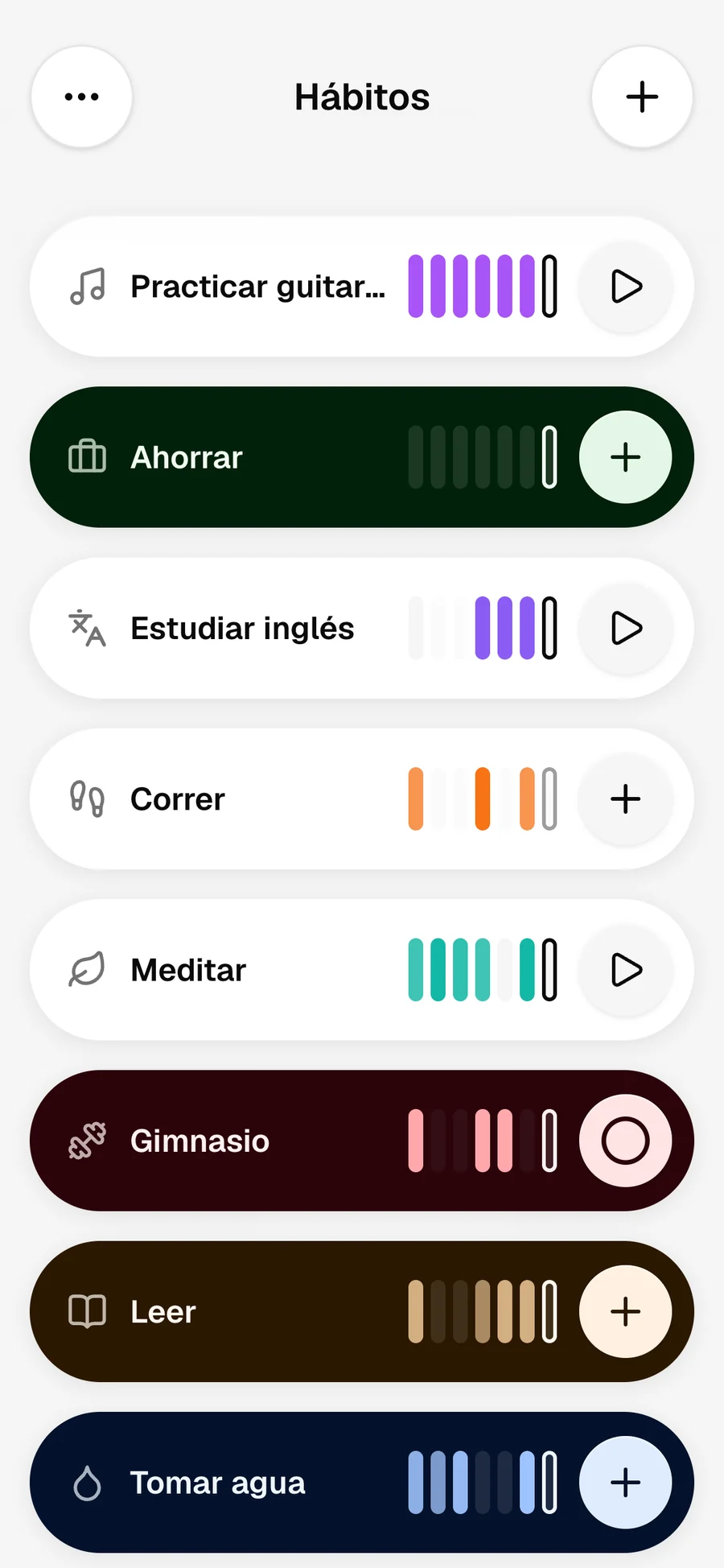
Check off with one tap, log an amount or start a timer. Each card shows your last 7 days painted in the habit’s color.
Streaks worth protecting
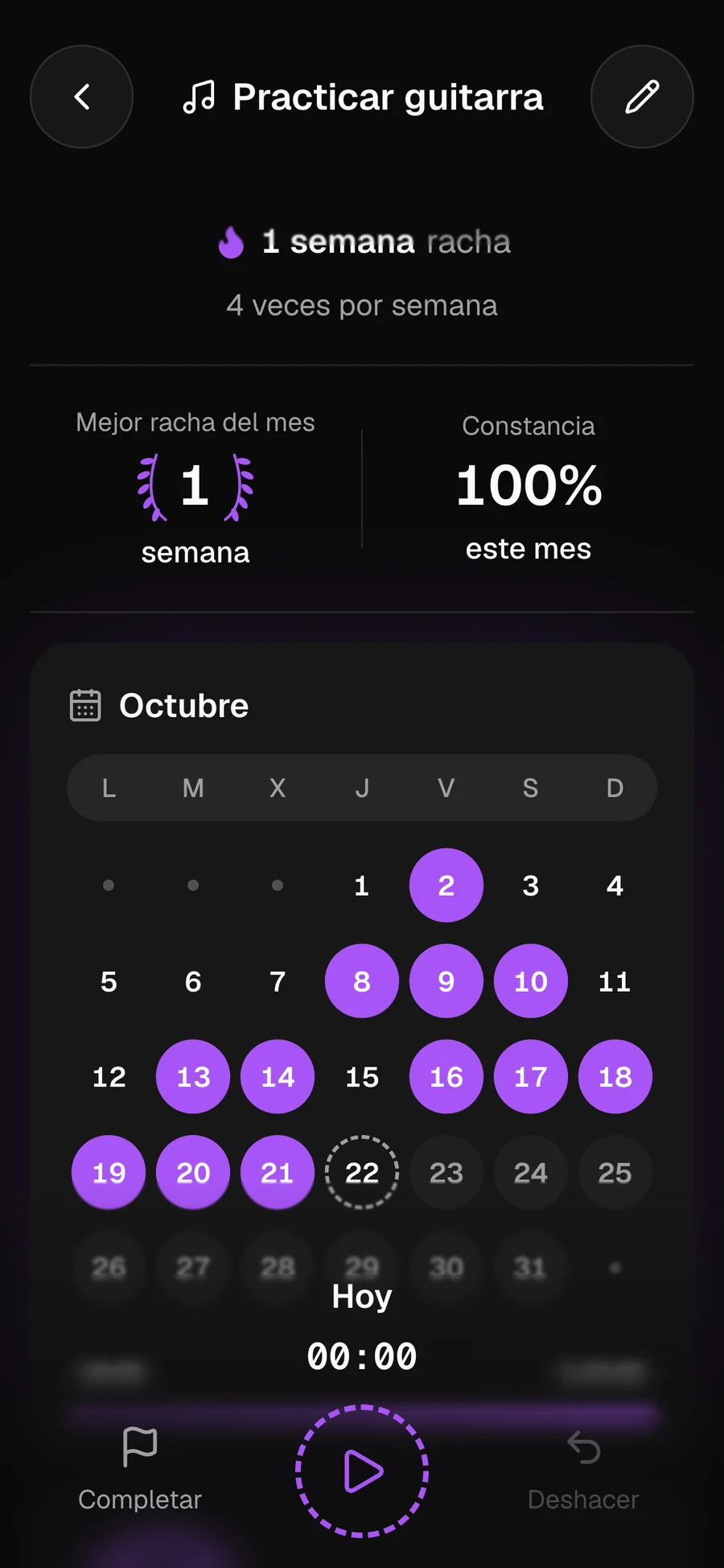
Your current streak, the best of the month and a calendar that fills with color. Can’t make it one day? Pause the habit without losing your progress.
Stats that make sense
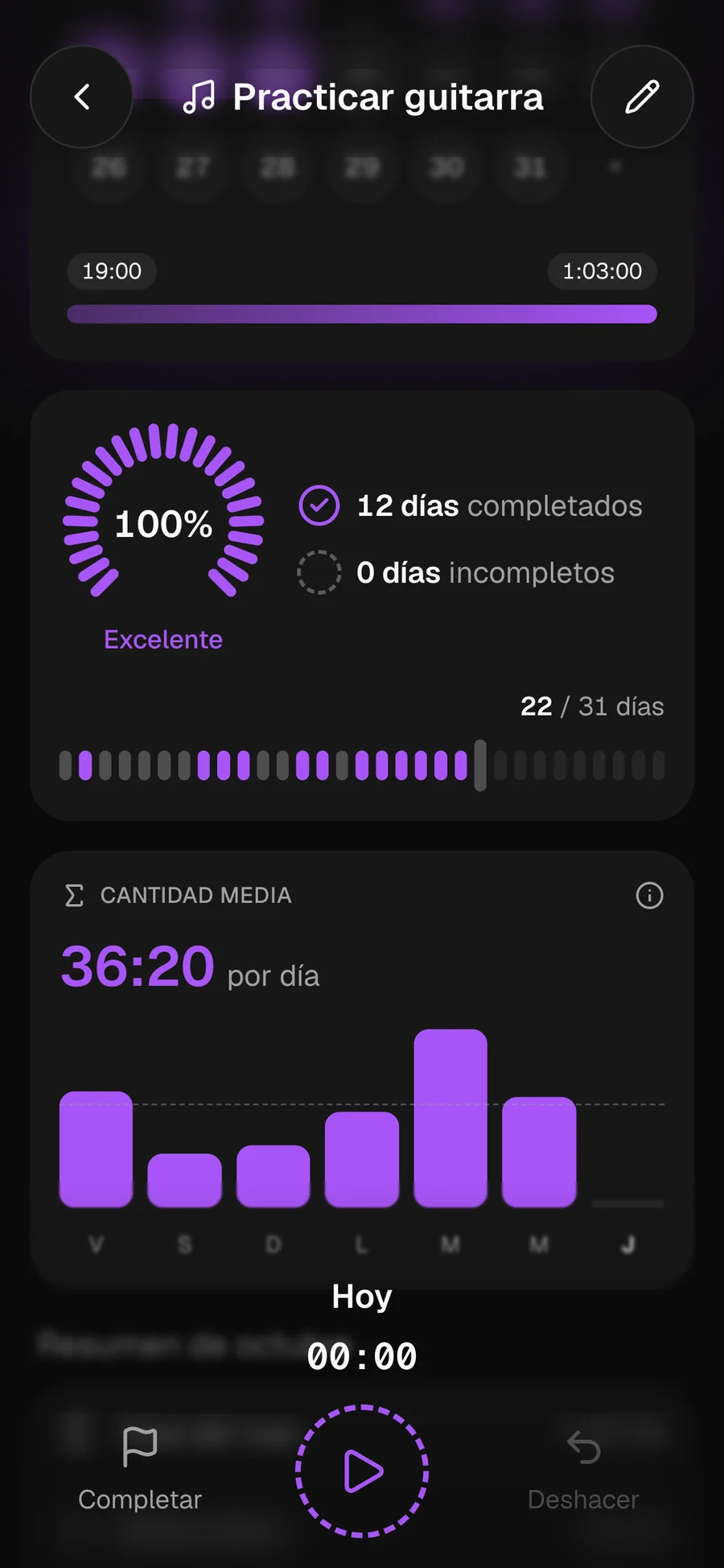
Monthly consistency, days completed, daily average and charts by period. You know exactly how you are doing, no spreadsheets.
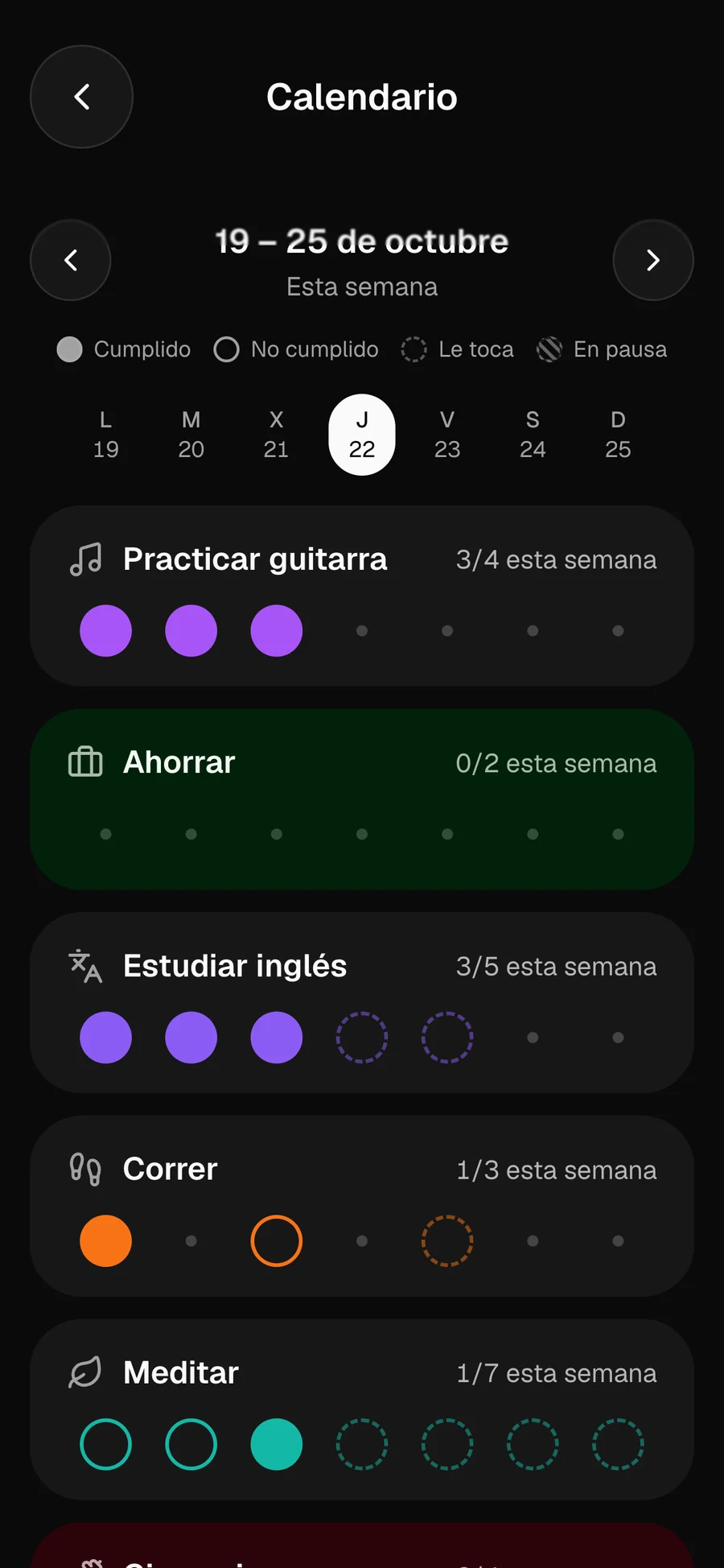
Your week at a glance
All your habits day by day: what you did, what’s due and what’s paused. Move week by week to see how it went.
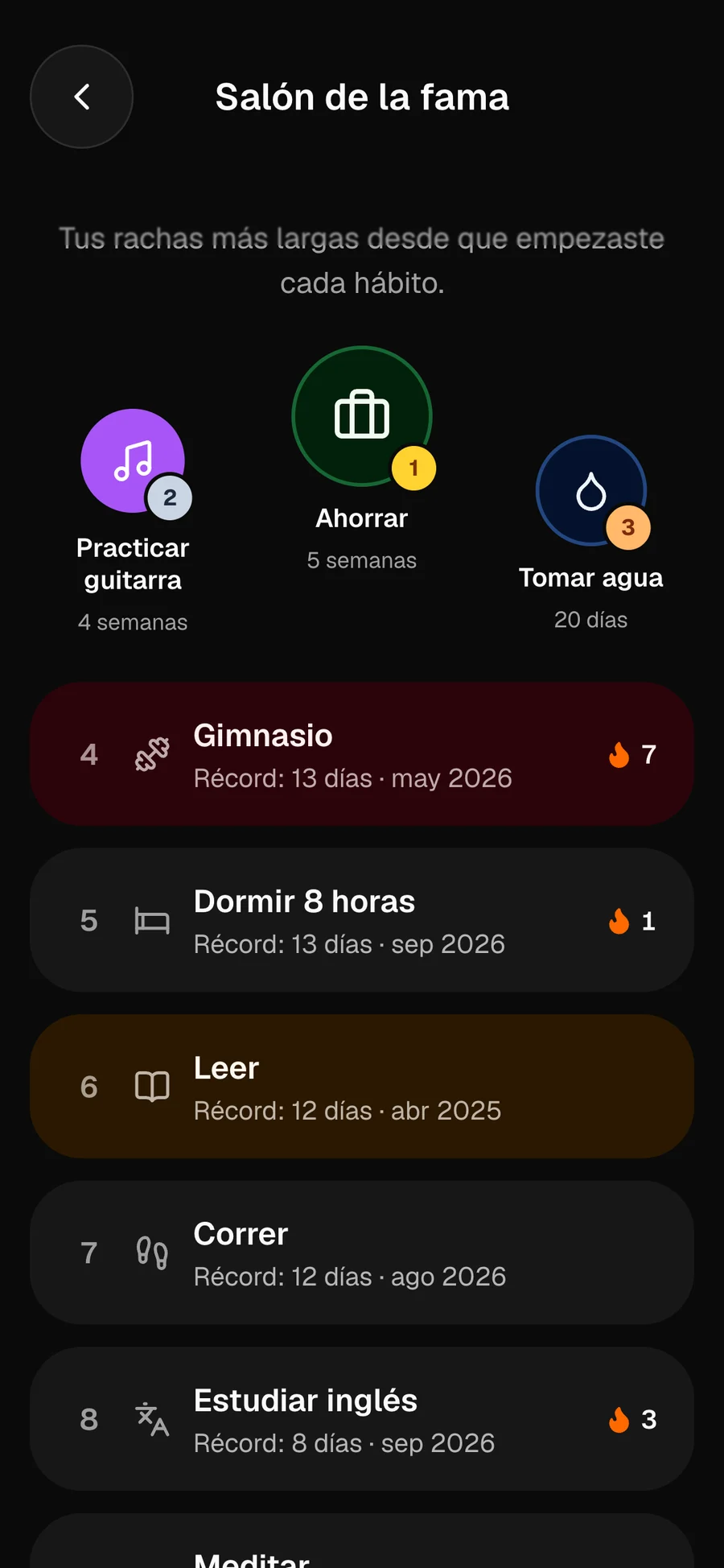
Hall of fame
A podium with your longest streaks since you started each habit. To celebrate what you’ve achieved and want to beat it.
And much more
Built so you come back tomorrow.
Every detail is designed to make logging quick and keeping going easy.
Every habit, your way
Over 130 searchable icons, a color palette or any color you like, and a colored background so you can spot each habit at a glance.
9:41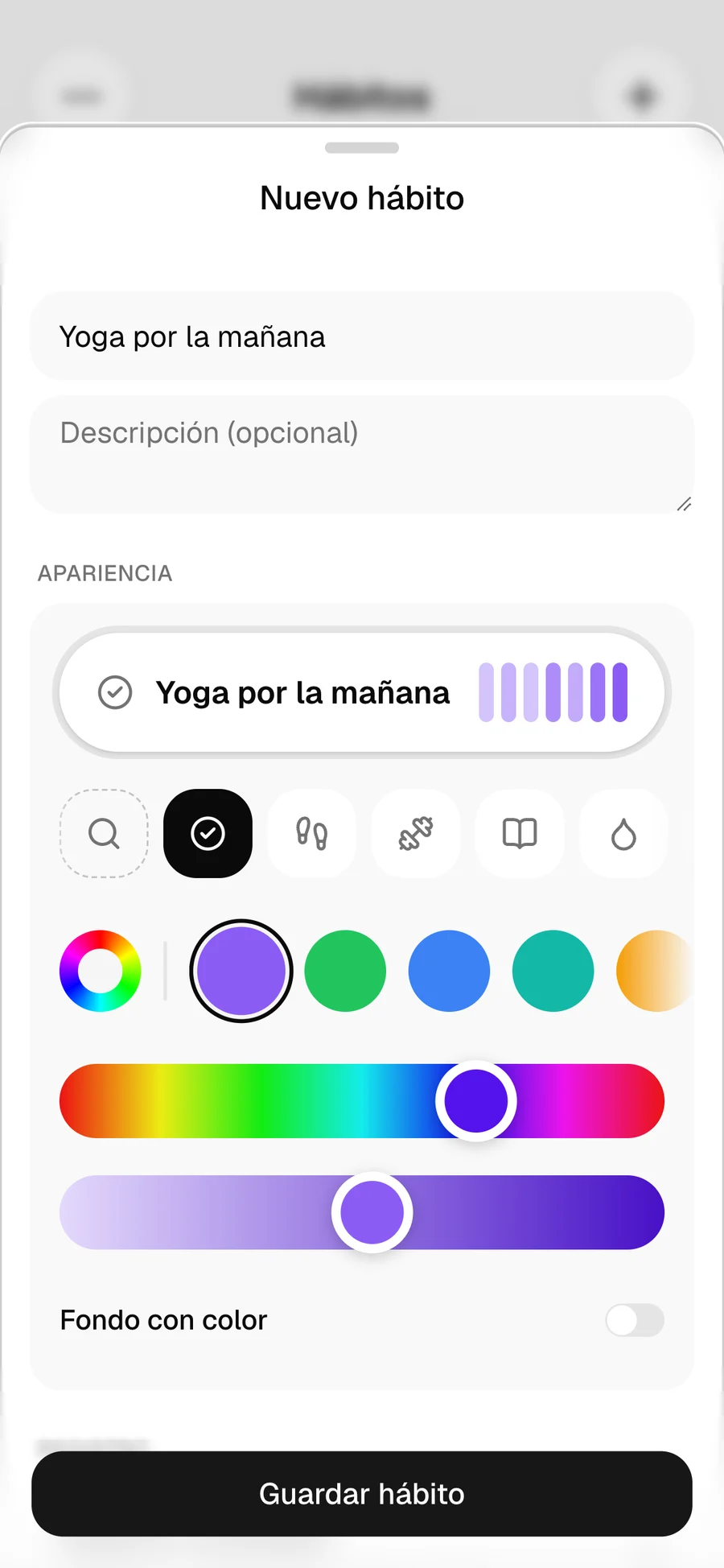
Three ways to measure
Daily check, timer (stopwatch or countdown) or amount with your own unit: glasses, pages, km.
Flexible frequency
Specific days of the week, every N days or X times per week or month.
Every day is a win
Sounds and animations when you complete a habit or reach your goal.
Pause without losing your streak
Vacation or an injury? Pause the habit and pick it up where you left off.
Priorities
High, medium or low, and sort your list by what matters most to you.
Notes and past days
Write down how it went and log that day you forgot to check off.
Archive without losing anything
An archived habit keeps its whole history and you can restore it anytime.
From your AI assistant
Connect Momenrise to Claude, ChatGPT, Grok/Grokbot, Cursor or VS Code and ask it to "complete Read" or "add 30 minutes to Walk".
Reminders
A nudge at just the right time.
Choose when each habit reminds you and it arrives like any other phone notification, even with the app closed.
- Once a day
- At several times
- Every X hours
On iPhone, notifications work once the app is added to the home screen.
Thursday, October 22
9:41
Meditate
now
You haven’t logged it today yet. Let’s go! 💪
Drink water
1h ago
You haven’t logged it today yet. Let’s go! 💪
Design
Your list, the way you like it.
Pick list, cards or grid, and use it in light or dark mode. Change it anytime from the menu.
- 9:41
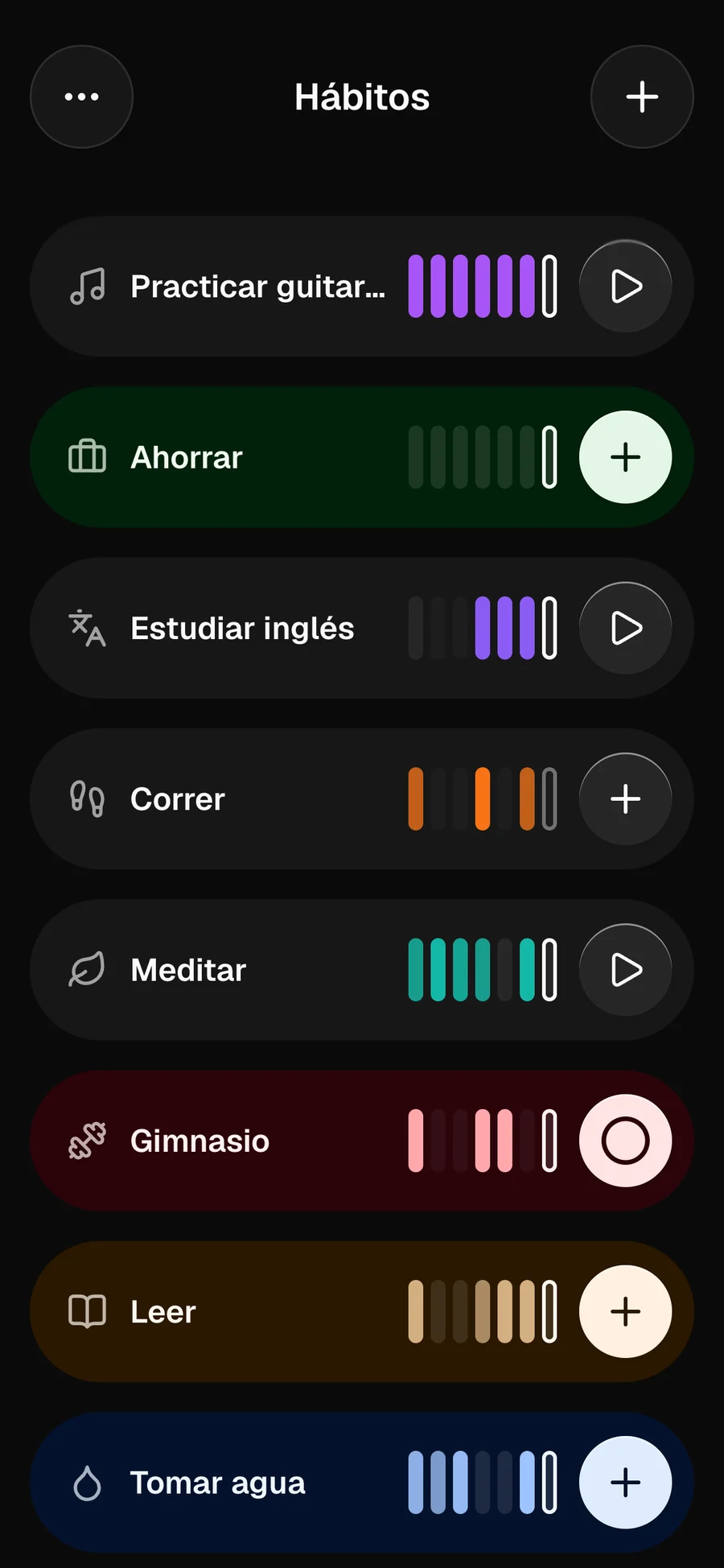
List
Compact, with your last 7 days.
- 9:41
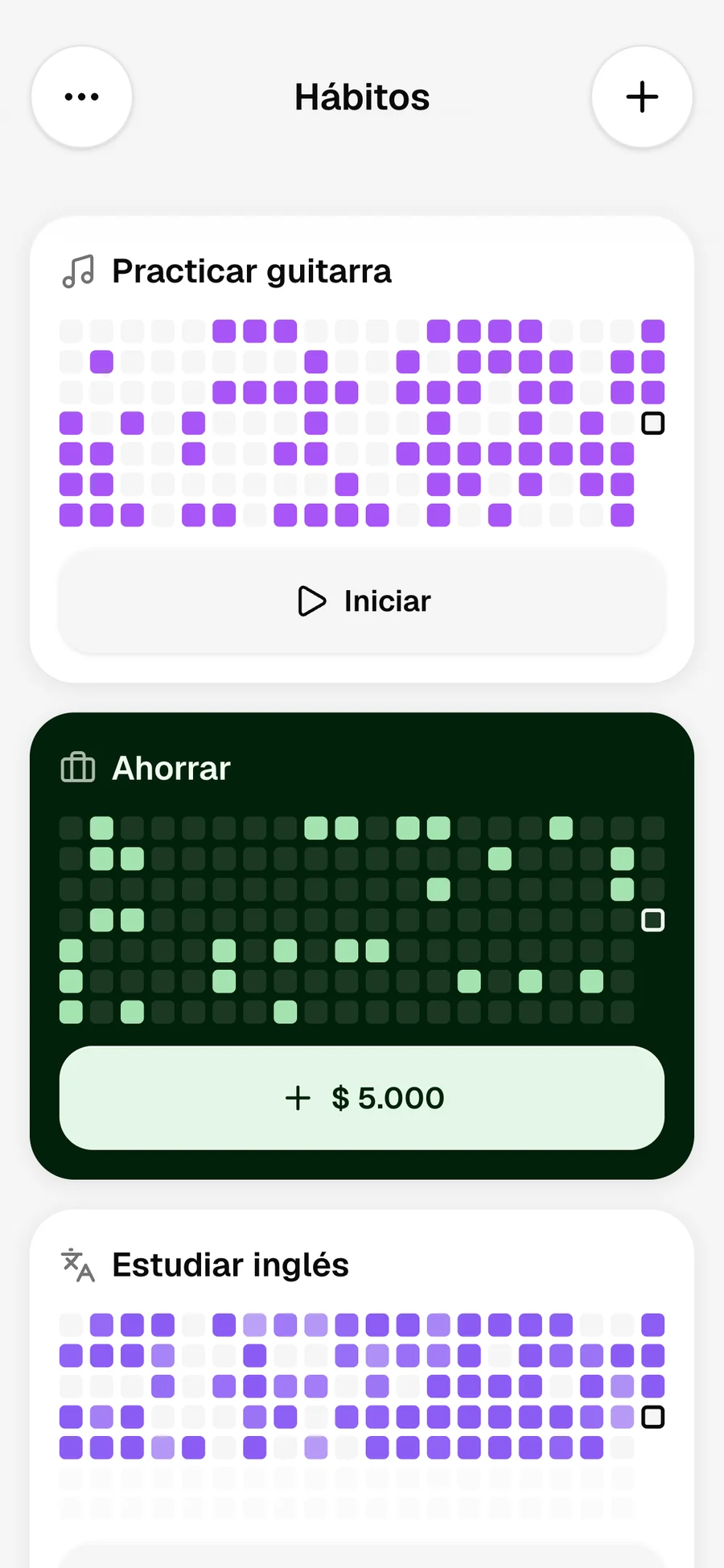
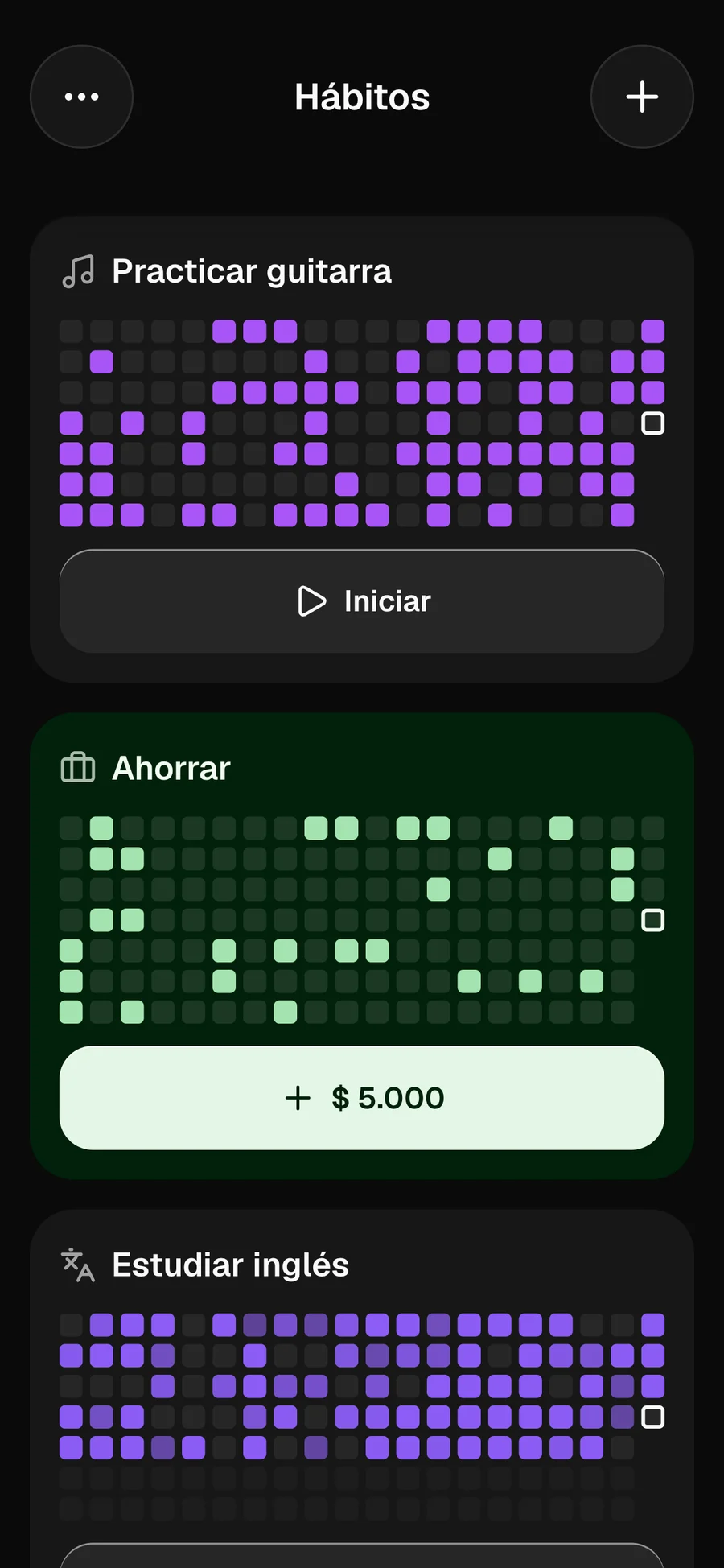
Cards
A map of your consistency over the last few weeks.
- 9:41
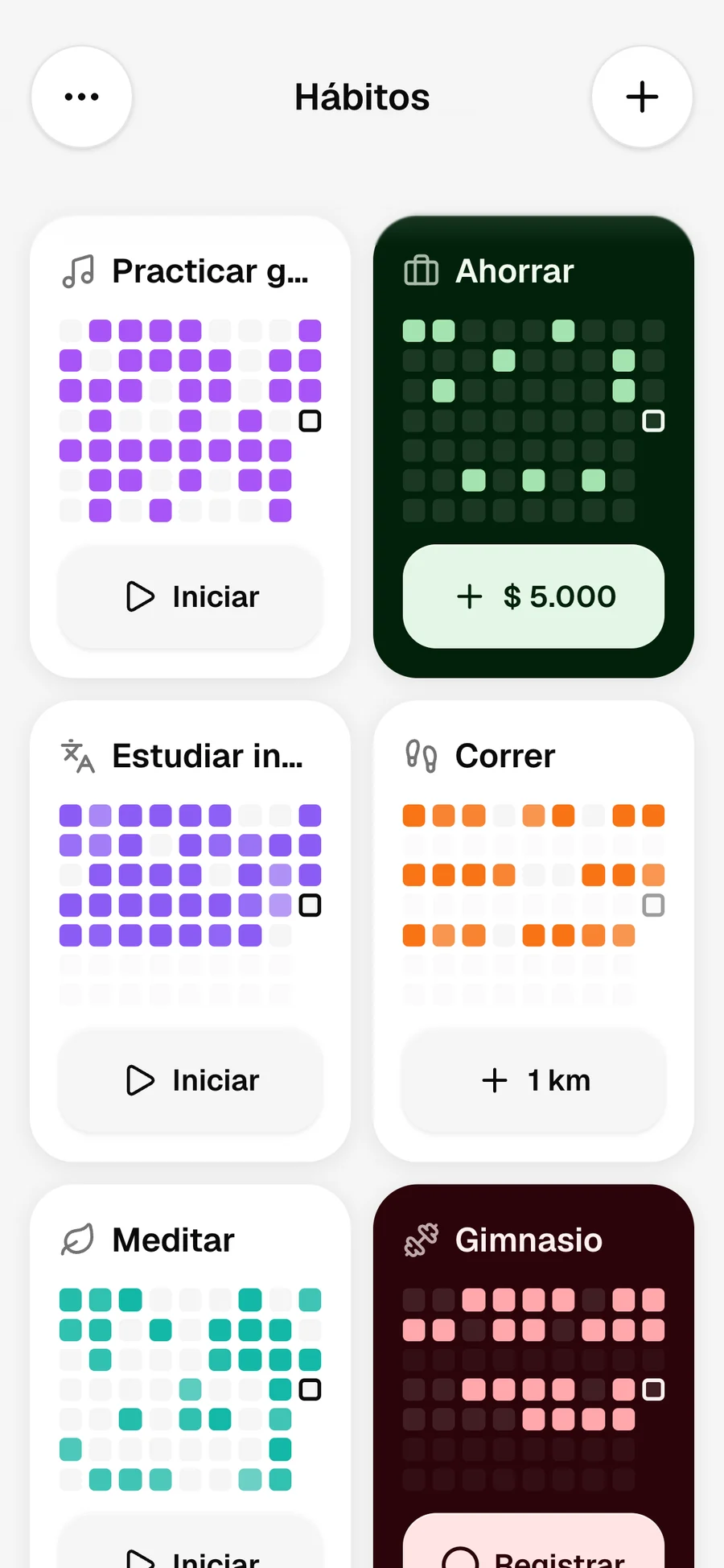
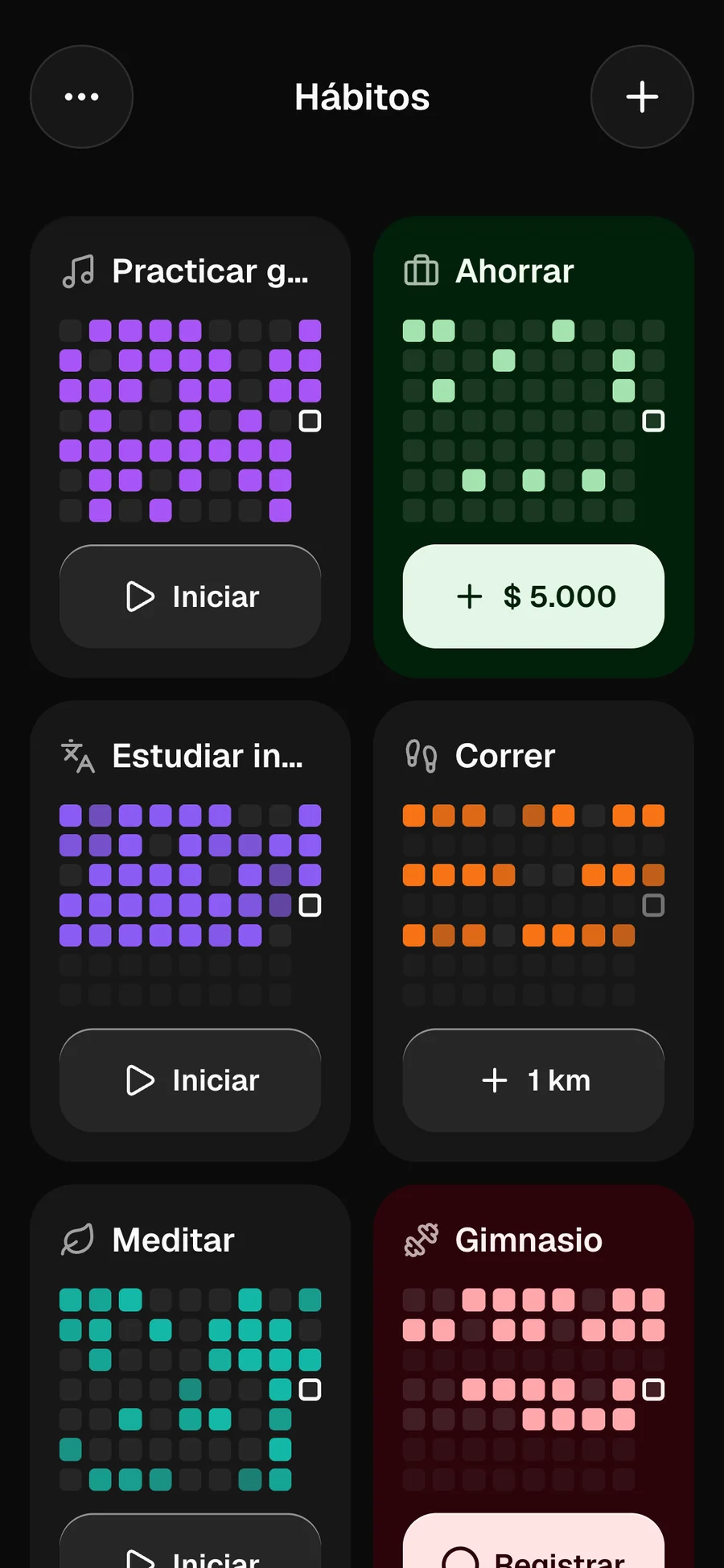
Grid
Two columns to see everything at a glance.
Install
No App Store or Play Store. No waiting.
Install it from your browser in three taps.
- app.momenrise.com
1Open it in Safari and tap Share.
Momenrise
app.momenrise.com
- Copy
- Add to Favorites
- Add to Home Screen
2Choose Add to Home Screen.
- Momenrise
3Done: it works like any other app.
How it started
Made by someone who needed it too.
I tried a ton of habit apps, on Android and iOS, looking for something to help me stay consistent and build discipline. It was always the same: one had the interface I liked but was missing something key; another had that, but added things I didn’t want.
And along the way, the same thing happened to me that happens to almost everyone. I’d start on a Monday all in and two weeks later I’d already quit. I wanted to change five things at once and couldn’t keep up with any. I put in the effort, but didn’t know if I was making progress, and without seeing progress the motivation faded.
“I brought the motivation. What I was looking for was something to keep me company along the way.”
Writing down “read”, “study” or “go for a walk” in an app wasn’t enough: I needed to say how much, when and, above all, track the time, because I time everything. Very few apps let me do it, and the ones that did were so clunky they ended up being more work than the habit itself.
I sent suggestions and was almost never heard. Momenrise exists so that doesn’t happen: every suggestion gets read, and whatever truly helps you keep your habits gets added as soon as possible.
Some people achieve everything through sheer discipline, without tracking or measuring anything, and that’s admirable. If that’s not you, as it wasn’t me, Momenrise is here to keep you company, one day at a time.

Hernán Arica
Creator of Momenrise
Coming soon
This is just the beginning.
Momenrise keeps growing. These are some of the ideas on the way, with no fixed dates or order.
- On the way
Categories
Group your habits into categories.
- On the way
Tasks
Tasks with optional date, priority, repeats and subtasks.
- On the way
Email or Telegram alerts
Reminders outside the app so you don’t break your streak.
- On the way
Weekly and monthly report
A summary of your habits delivered to your inbox.
- On the way
Create with your voice
Create a habit, goal or task from a voice note.
- On the way
Share your wins
Share your habits, achievements and consistency on social media.
- On the way
Yearly goals and recap
Goals for the year and a summary at the end, Spotify Wrapped style.
- On the way
Friends
Add friends and share habits or routines with them.
FAQ
Got questions?
What people ask us most. If anything is left, write to us from the app.
Is it free?
Yes, Momenrise is free. No credit card or anything else needed to start.
Do I have to download it from a store?
No. It’s a web app: you open it from your browser and, if you want, add it to your home screen. It works like any other app.
How do I install it?
On iPhone, from Safari: Share → "Add to Home Screen". On Android, tap "Install" on the banner or in Settings.
What kinds of habits can I create?
Check (done or not), timer (stopwatch or countdown) and amount (glasses, pages, km or your own unit). Each with its own frequency: days of the week, every N days or X times per week or month.
Will I get reminders?
Yes. Each habit can have push notifications once a day, at several times or every X hours.
How is the streak counted?
It’s the consecutive periods in which you met the habit’s frequency: days or weeks without a break. If you pause it, the streak doesn’t break.
Can I log a day I forgot?
Yes. In the habit detail, tap the day on the calendar, or use "Add entry" and pick the date.
Is my data private?
Yes. Each account can only see and edit its own habits and entries.
Does it work offline?
You can see the latest data you loaded, but you need a connection to log.
Can I use it on my computer?
For now it’s designed for phones and tablets. If you’re on a computer, scan the QR code on this page to open it on your phone.
Can I use it from Claude, ChatGPT or another AI assistant?
Yes. It works with Claude, ChatGPT, Grok/Grokbot, Cursor, VS Code, Hermes Agent, OpenClaw and any MCP-compatible assistant. In the app, go to Settings → AI assistants, copy the URL and add it as a connector in your assistant. Then ask it things like "complete Read", "add 30 minutes to Walk" or "how am I doing this week?".
How do I find out about what’s new?
When there’s a new version you’ll see a notice with "Update". What has changed is in Settings → What’s new.
Have an idea or found a problem?
Write to us from the contact form in Settings, inside the app.

Start today.
Tomorrow you’ll
want to come back.
Create your account in seconds and set up your first habit. It’s free and there’s nothing to download.

Open it on your phone
Scan the code with your camera and start in one tap.